Microsoft 365 Copilot integrates AI-driven support seamlessly into core Microsoft 365 applications, including Word, Excel, Outlook, and Teams.
Through our instructor-led programs, professionals and teams can develop proficiency in leveraging Copilot’s features, ranging from creating content and condensing emails to interpreting data and streamlining workflows.
These programs are offered as live online training via interactive remote desktop, or as onsite live sessions in Copenhagen, featuring practical exercises tailored to real-world business environments.
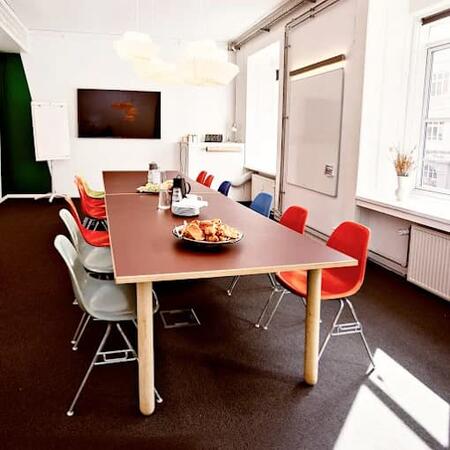
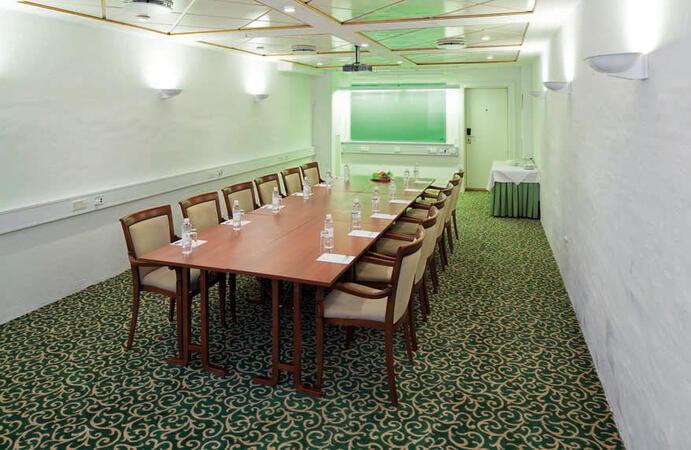
Whether you are upskilling a small group or an entire department, onsite training can be conducted at your facilities in Copenhagen or at a NobleProg training centre in Copenhagen.
Often recognized as Microsoft 365 AI, M365 Copilot, or Copilot for Office, this training enables users to enhance efficiency within their daily toolset.
You can also take bus 26 or 7A and get off around Vesterbros Torv; from there it is a short walk.
By bus
Useful nearby stops include:
Vesterbros Torv (Vesterbrogade) — about 1 minute from the area.
Frederiksberg Allé (Vesterbrogade) — nearby.
Trommesalen (Vesterbrogade) — nearby.
Bus 26 and 7A serve the Vesterbrogade corridor.
København, Copenhagen
NobleProg København, Bredgade 37, København K, denmark, 1260
Near Amalienborg Palace & Royal Theatre.
If you arrive by train
If you arrive at Copenhagen Central Station (København H):
Walk to København H Metro.
Take the M3 or M4 metro toward Kongens Nytorv.
Get off at Kongens Nytorv.
Walk north toward Nyhavn, then continue along Bredgade.
Bredgade 37 is about 500 m / 6 minutes' walk from Kongens Nytorv.
Another easy option
Marmorkirken (Marble Church) Metro Station is also very close to Bredgade 37. The nearby Bredgade area is about 2 minutes' walk from Marmorkirken station.
By bus
There are bus stops around Dronningens Tværgade / Bredgade, so you can also travel by bus and walk the final few minutes.
Explore how to harness Copilot for Finance to simplify reporting and elevate productivity. This instructor-led course in Copenhagen provides professionals with practical AI competencies to automate accounting processes, draft financial reports, and generate meaningful insights, thereby optimizing your daily workflow.
This instructor-led training in Copenhagen delves into advanced Copilot Studio integration for technical professionals. Learners will master secure SQL execution, recruitment workflow automation, and Power Automate orchestration, ensuring the deployment of robust, production-grade AI assistants.
This instructor-led live training on Copenhagen enables business professionals to master Microsoft 365 Copilot Chat for improved daily efficiency. Participants will learn to generate content, analyze data, and automate tasks across Word, Excel, PowerPoint, and Outlook by utilizing effective AI prompts and industry best practices.
This live training in Copenhagen empowers public sector staff to utilize Microsoft 365 Copilot for efficient document drafting, data analysis, and meeting summarization. Learners acquire practical prompting techniques and responsible AI practices specifically adapted for government workflows, thereby boosting daily operational productivity.
Elevate workplace efficiency with this guided training on Copenhagen for Microsoft 365 Copilot. Master the art of drafting in Word, analyzing Excel data, crafting PowerPoint slides, managing Outlook emails, and enhancing Teams collaboration. Perfect for professionals aiming to refine their workflows with AI.
This instructor-led, live training in Copenhagen assists beginners in mastering Microsoft 365 Copilot to enhance daily productivity. Participants will acquire practical skills for drafting documents, analyzing data, handling emails, and collaborating in Teams through intelligent AI suggestions.
This instructor-led, live training in Copenhagen (available online or on-site) is tailored for intermediate-level supervisors and programming officers aiming to broaden their skill set in SharePoint administration and the strategic application of Microsoft 365 Copilot.
Upon completion, participants will be equipped to:
Grasp the core principles of SharePoint architecture and administrative functions.
Set up and oversee SharePoint sites, including the management of user permissions.
Deploy robust security protocols and compliance standards within SharePoint environments.
Integrate and administer Microsoft 365 Copilot features to drive higher organizational efficiency.
Adopt best practices for data governance and content lifecycle management.
This practical, hands-on course introduces participants to AI agents in Microsoft 365 Copilot and demonstrates how they can build their own simple agents without any coding or additional tools.
Participants will explore Microsoft-built agents such as Researcher and Analyst, understand how AI agents work in a business context, and learn how to design and use their own agents using structured prompts and workflows in Copilot.
The course focuses on real-life scenarios, enabling participants to automate repetitive tasks, improve productivity, and create reusable AI assistants that can be easily shared across teams.
By the end of the session, participants will have built their own AI agent and will be able to apply the same approach in their daily work.
This program is tailored for finance experts who currently leverage AI tools and aim to transition from sporadic usage to a reliable, daily routine utilizing Microsoft Copilot. Attendees will refine their prompting capabilities and leverage Copilot to execute practical financial duties such as data reconciliation, forecasting, budget planning, and reporting. The session is highly interactive, centered on live practice using authentic finance datasets. All practicals are structured in two parallel tracks: one for Copilot Chat (Basic, available with Microsoft 365) and another for Microsoft 365 Copilot (Premium, paid license), ensuring each participant utilizes the tier they already possess.
Read more...
Last Updated:
Testimonials (4)
Everything is possible :-)
Sandra Bardewyck - Media Carrier Solutions GmbH
Course - Microsoft 365 Copilot: AI Productivity Across Word, Excel, PowerPoint, Outlook, and Teams
i already have some reports that i know, i will use some of the prompts that looked at today
Kelly Cotham
Course - Copilot for Finance and Accounting Professionals
Learning and creating of agents.
Jana Nalevankova - Ness Romania
Course - Boost Your Productivity with Microsoft Copilot 365
Excellect knowledge level of the trainer
Pawel Dykowski - LKQ Polska Sp. z o. o.
Course - Microsoft 365 Copilot Chat for Word, Excel, PowerPoint, and Outlook
Online Microsoft 365 Copilot training in Copenhagen, Microsoft 365 AI training courses in Copenhagen, Weekend M365 Copilot courses in Copenhagen, Evening M365 Copilot training in Copenhagen, Microsoft 365 Copilot instructor-led in Copenhagen, Microsoft 365 AI trainer in Copenhagen, Microsoft 365 Copilot instructor in Copenhagen, Microsoft 365 AI instructor-led in Copenhagen, Online Microsoft 365 Copilot training in Copenhagen, Microsoft 365 Copilot on-site in Copenhagen, Microsoft 365 Copilot coaching in Copenhagen, Evening Microsoft 365 Copilot courses in Copenhagen, M365 Copilot classes in Copenhagen, Weekend Copilot for Office training in Copenhagen, M365 Copilot one on one training in Copenhagen, M365 Copilot boot camp in Copenhagen, Copilot for Office private courses in Copenhagen