Whether delivered remotely or on-site, our instructor-led live 3D Modeling courses provide a comprehensive overview of both foundational principles and advanced techniques, supported by interactive, hands-on exercises.
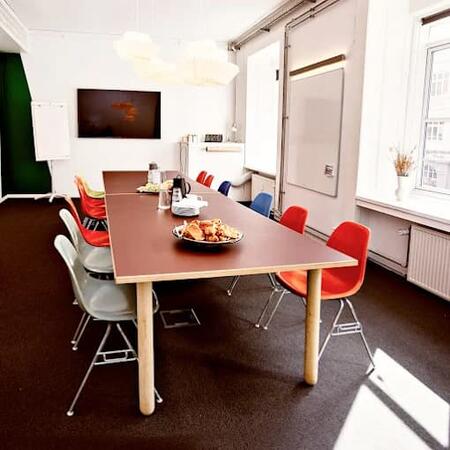
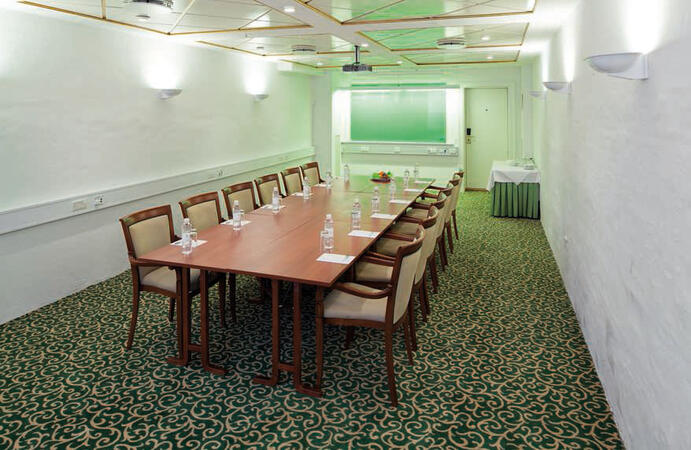
We offer this 3D Modeling training as either "online live training" or "onsite live training". The online live format, also referred to as "remote live training", is conducted via an interactive remote desktop session. Onsite live training can take place locally at client facilities in Copenhagen or within NobleProg’s dedicated corporate training centers in Copenhagen.
You can also take bus 26 or 7A and get off around Vesterbros Torv; from there it is a short walk.
By bus
Useful nearby stops include:
Vesterbros Torv (Vesterbrogade) — about 1 minute from the area.
Frederiksberg Allé (Vesterbrogade) — nearby.
Trommesalen (Vesterbrogade) — nearby.
Bus 26 and 7A serve the Vesterbrogade corridor.
København, Copenhagen
NobleProg København, Bredgade 37, København K, denmark, 1260
Near Amalienborg Palace & Royal Theatre.
If you arrive by train
If you arrive at Copenhagen Central Station (København H):
Walk to København H Metro.
Take the M3 or M4 metro toward Kongens Nytorv.
Get off at Kongens Nytorv.
Walk north toward Nyhavn, then continue along Bredgade.
Bredgade 37 is about 500 m / 6 minutes' walk from Kongens Nytorv.
Another easy option
Marmorkirken (Marble Church) Metro Station is also very close to Bredgade 37. The nearby Bredgade area is about 2 minutes' walk from Marmorkirken station.
By bus
There are bus stops around Dronningens Tværgade / Bredgade, so you can also travel by bus and walk the final few minutes.
This live training session in Copenhagen is curated for professionals looking to achieve mastery in complex ArchiCAD modeling, automation, and BIM workflows. Attendees will gain the skills to customize templates, oversee large-scale projects, and utilize BIMcloud to ensure seamless multi-user collaboration and efficient data exchange.
This instructor-led training in Copenhagen is aimed at advanced CAD professionals, concentrating on the creation of bespoke libraries, the integration of mechanical and structural elements, and the implementation of rigorous interference checking. Participants will learn to optimize templates and manage conflicts to significantly enhance design precision.
This live, instructor-led training in Copenhagen (delivered online or on-site) is tailored for intermediate-level architects aiming to utilize ArchiCAD for architectural design, building information modeling (BIM), and advanced construction documentation.
By the conclusion of this program, participants will have the capability to:
Skilfully create, adjust, and oversee 2D and 3D views within their projects.
Handle and adjust objects, components, and libraries in ArchiCAD.
Formulate detailed building sections, elevations, and component specifications.
Assess and refine building energy performance through ArchiCAD’s energy analysis capabilities.
Produce realistic renderings and animations for client presentations.
Automate building workflows and conduct performance simulations.
This instructor-led, live training in Copenhagen (online or onsite) is aimed at intermediate-level to advanced-level SolidWorks users who wish to deepen their modeling skills, master advanced features, and improve design efficiency and accuracy.
By the end of this training, participants will be able to:
Create complex parts, assemblies, and configurations efficiently.
Use advanced modeling tools such as sweeps, lofts, and surfaces.
Apply design tables, equations, and parametric controls.
Perform simulations and motion studies to validate designs.
This instructor-led, live training in Copenhagen (online or onsite) is designed for beginner-level electrical engineers and designers seeking to use AutoCAD for creating professional electrical drawings and documentation.
By the end of the session, participants will be able to:
Understand the core principles of electrical design and drafting using AutoCAD Electrical.
Create and maintain electrical schematics, panel layouts, and wiring diagrams.
Utilize advanced tools and features in AutoCAD Electrical to improve productivity.
Apply industry best practices for electrical design and documentation.
This live, instructor-led training, delivered either online or on-site in Copenhagen, is designed for novice users who want to investigate the essential features of Solidworks PDM and determine how it can address their organization’s design file management requirements.
Following this training, participants will be able to:
Understand the significant features and benefits associated with Solidworks PDM.
Navigate the Solidworks PDM interface and follow its standard workflows.
Carry out basic end-user operations like file check-in/check-out, versioning, and searching.
Investigate administrative functions, such as configuring vaults, managing user permissions, and customizing workflows.
Assess the potential for implementing Solidworks PDM across multiple business sites.
This instructor-led, live training in Copenhagen (online or on-site) is designed for intermediate-level mechanical engineers and CAD designers who intend to utilize SolidWorks for the design and execution of industrial automation systems.
By the end of the session, participants will be equipped to:
Install and tailor SolidWorks settings for automation design.
Model, simulate, and assess industrial automation components and systems.
Export design files for practical application in industrial contexts.
This live, instructor-led training, available in Copenhagen (either online or onsite), is tailored for advanced-level AutoCAD Plant 3D professionals looking to leverage the software effectively for complex plant design initiatives.
Upon completion of this training, participants will be equipped to:
Apply AutoCAD Plant 3D to intricate and detailed plant design projects.
Master advanced features of AutoCAD Plant 3D, such as custom component creation, sophisticated data management, and complex routing.
Oversee large-scale projects and collaborate seamlessly with teams utilizing diverse software tools.
Tailor the software and automate repetitive tasks to align with specific project requirements.
This instructor-led live training, delivered either online or onsite in Copenhagen, is designed for artists, game developers, and complete beginners who wish to utilize Blender to create 3D models for interactive applications, video games, animated films, and similar projects.
By the end of this training, participants will be capable of:
Creating animations and visual effects with Blender.
Adding curves, surfaces, metaballs, and hair particles to simulate realistic 3D motion.
Grasping the fundamentals of non-destructive modelling and animation.
Exporting 3D models and assets to game engines, 3D printers, or other software.
This live, instructor-led training (online or onsite) is designed for beginner to intermediate-level professionals in plant design and engineering seeking to develop and strengthen their proficiency in AutoCAD Plant 3D.
Upon completion, participants will be equipped to:
Establish a development environment incorporating AutoCAD Plant 3D.
Develop detailed 3D plant models and layouts.
Produce precise isometric and orthographic drawings.
Document plant designs effectively and facilitate team collaboration.
Provided as an instructor-led, live training in Copenhagen (online or onsite), this program is designed for entry-level engineers seeking to utilize Autodesk InfoDrainage for storm and foul network design, either as a standalone application or integrated with Civil 3D.
By the conclusion of the training, attendees will be equipped to:
Build, edit, and assess both storm and foul drainage networks in InfoDrainage.
Execute 1D and 2D simulations to gauge drainage system efficiency.
Comprehend the seamless data exchange between Civil 3D and InfoDrainage.
This live, instructor-led training in Copenhagen (online or in person) is designed for artists, game developers, and beginners looking to utilize Blender for creating 3D models for interactive applications, video games, and animated films.
By the end of the session, participants will be able to:
Comprehend the key principles and core concepts of 3D modeling.
Investigate a range of modes and tools for modeling and editing 3D meshes.
Apply tools for UV mapping/unwrapping, sculpting, painting, and rendering 3D models.
This instructor-led live training in Copenhagen (delivered online or on-site) is designed for intermediate to advanced mechatronics, mechanical, electrical, and electronics engineers. It offers an opportunity to elevate your SolidWorks expertise by mastering advanced part modeling, as well as other complex features and shaping tools.
By the end of this session, participants will be able to:
Apply multi-body solids, sweeping, and lofting features, alongside other advanced SolidWorks capabilities.
Harness the assembly modeling potential of SolidWorks.
Master the advanced modeling aspects of the software.
This live, instructor-led training in Copenhagen—available online or in-person—is designed for entry-level graphic designers and artists aiming to grasp the fundamentals of 3ds Max. The focus is on learning how to create 3D models, animations, and renderings for diverse professional needs.
Upon completing this training, participants will be able to:
Establish a development environment that includes 3ds Max, a computer meeting system requirements, and Visual Studio Code.
Initiate a basic 3ds Max project and explore the user interface and navigation tools.
Utilize 3ds Max tools and modifiers to create and edit 3D objects, such as primitives, shapes, meshes, and splines.
Apply colors, textures, and effects to 3D objects using 3ds Max materials and maps.
Set up scenes using 3ds Max lights and cameras to adjust lighting and perspective.
Animate 3D objects and create keyframes, curves, and trajectories using 3ds Max animation tools and controllers.
Render the scene and export final images or videos using 3ds Max rendering tools and settings.
This instructor-led, live training delivered in Copenhagen (either online or onsite) targets web designers looking to apply Python programming to automate Blender tasks.
By the conclusion of this training, participants will be equipped to:
Construct interface elements such as menus.
Manage Blender functionalities using Python code.
Develop scripts for the automatic execution of processes.
Explore and gain a deep understanding of the bpy library.
This live, instructor-led training in Copenhagen (delivered online or on-site) is tailored for intermediate geospatial professionals aiming to utilize Rhinoceros 6 and Agisoft Metashape for the creation, refinement, and integration of detailed 3D models.
By the end of this program, participants will be able to:
Understand the essential principles of 3D design and photogrammetry.
Proficiently navigate and operate Rhinoceros 6 to create and polish 3D models.
Apply NURBS modeling techniques within Rhinoceros 6 and execute photogrammetric workflows using Agisoft Metashape.
This instructor-led live training in Copenhagen (online or onsite) caters to intermediate and advanced-level engineers in mechatronics, mechanical, electrical, and electronics disciplines. The program aims to deepen participants' SolidWorks expertise by focusing on advanced part modeling and complex shaping features.
By the end of the training, participants will be able to:
Implement multi-body solids, sweeping, lofting, and other advanced SolidWorks features.
Effectively use SolidWorks' assembly modeling tools.
Command the platform's advanced modeling capabilities.
This instructor-led, live training, delivered in Copenhagen (online or onsite), targets advanced-level web designers seeking to learn how to manage heavy drawings using AutoCAD.
By the end of this training, participants will be able to:
Understand the challenges associated with large drawings and implement strategies for efficient file organization.
Apply techniques to improve drawing performance and handle regenerations efficiently.
This live, instructor-led training, delivered in Copenhagen either online or on-site, is specifically designed for artists, game developers, and complete beginners seeking to use Blender to build 3D models for interactive applications, video games, and animated films.
By the conclusion of this program, participants will be capable of:
Grasping the foundational principles and core ideas of 3D modeling.
Exploring a wide array of modes and tools for modeling and manipulating 3D meshes.
Learning to produce animations and visual effects within Blender.
Implementing curves, surfaces, metaballs, and hair particles to achieve realistic 3D movements.
Applying tools for UV mapping/unwrapping, sculpting, and texturing 3D models.
Exporting 3D models and assets to game engines, 3D printers, or other software.
This instructor-led live training in Copenhagen (online or onsite) is tailored for beginner to intermediate-level web designers seeking to utilize CATIA V5 for collaborative product creation and robust product data management.
By the end of the course, participants will have the capability to:
Master the CATIA V5 interface and navigation controls.
Transform 2D sketches into fully realized 3D models.
Construct assemblies by combining various components.
This instructor-led training in Copenhagen provides intermediate interior designers with the essential skills to excel with SketchUp Pro on iPad. Learners will acquire the ability to model spaces, apply lifelike materials, and elevate their visualisations. Through practical exercises, participants will be prepared to handle real-world design projects with confidence.
This live, instructor-led training session, conducted in Copenhagen (either online or on-site), is designed for entry-level developers and architects looking to grasp the core functionalities of Navisworks and its role in BIM (Building Information Modeling) project delivery.
Upon completion of this training, participants will be equipped to:
Configure and utilize Navisworks for the review and coordination of 3D models.
Construct and visualize integrated BIM models by combining inputs from diverse design disciplines.
Facilitate communication and annotate specific issues and feedback directly within the model.
Execute clash detection and resolve conflicts between different 3D files.
Simulate and manage construction schedules and associated costs.
This instructor-led, live training in Copenhagen (online or onsite) targets mechatronics, mechanical, electrical, and electronics engineers who aim to utilize SolidWorks for sketching and creating detailed drawings of their ideas.
By the end of this program, participants will be capable of:
Understanding the foundational concepts of SolidWorks.
Designing and building parts, assemblies, and 3D models within SolidWorks.
This instructor-led training on Copenhagen explores the use of Unity, Blender, and Visual Studio to construct industrial virtual environments. Participants will learn to design 3D models, optimize assets, and program C# logic for control system integration. Through hands-on labs, they will develop practical skills in simulation and digital twin applications.
This live, instructor-led training in Copenhagen (available online or onsite) is designed for web designers seeking to create precise 2D models using AutoCAD.
Upon completing this program, participants will be equipped to:
Develop and refine AutoCAD drawings, plans, and layouts.
Oversee various style dimensions to achieve advanced styling results.
Gain proficiency in the Cartesian coordinate system to facilitate meaningful and dynamic data input.
Participate in this practical training in Copenhagen to become proficient with FreeCAD, an open-source parametric 3D modeler. You will learn to design real-world objects for fabrication or 3D printing, export files to formats such as STEP and STL, and streamline workflows using Python. This course is ideal for designers and engineers.
This course aims to teach the fundamentals of the Systems Modeling Language (SysML), its application via the MagicDraw/Cameo software, basic Model-Based Systems Engineering (MBSE) simulation techniques, and best practices in MBSE. The training covers the essentials of creating templates and generating reports within the MagicDraw/Cameo tool suite, while also explaining how macros and scripts function in MagicDraw and their potential applications.
This course is designed to cover the fundamentals of the Systems Modeling Language (SysML), its implementation using MagicDraw/Cameo, basic MBSE simulation techniques, and industry best practices in MBSE. It instructs learners on the core concepts and features of validation rules, validation suites, and model metrics, while introducing the development and utilization of model queries within MagicDraw/Cameo.\u200b
This instructor-led Modelica training in Copenhagen empowers mechanical engineers to model complex industrial systems. Through hands-on lab exercises and interactive discussions, participants will learn to leverage open-source platforms, implement libraries, and integrate algorithms into real-world applications.
This instructor-led, live training in Copenhagen (delivered online or onsite) is designed for design engineers and industrial designers seeking to utilize NVIDIA Omniverse for creating realistic simulations while engaging in collaborative workflows on a unified platform.
By the end of this course, participants will be able to:
Install and configure Omniverse components and applications.
Develop and render 3D simulations that accurately replicate physically precise environments and workflows.
Simplify the process of constructing and rendering complex workflows by connecting various design tools and applications within a single platform.
This live, instructor-led training in Copenhagen (online or on-site) is designed for design engineers, architects, and video game developers aiming to use RealityCapture for 3D modeling in gaming, architecture, or broader visualization initiatives.
Upon completing this training, participants will be capable of:
Setting up the required development environment to begin creating 3D models with RealityCapture.
Executing the photogrammetry workflow to produce and reconstruct realistic 3D models.
Exporting and uploading 3D models to VR and AR content platforms, such as Unreal Engine, Sketchfab, and Cesium ion.
This instructor-led, live training in Copenhagen—delivered online or onsite—is designed for architects who intend to utilize SketchUp to develop 3D models for architectural design purposes.
By the end of this course, participants will be equipped to:
Employ SketchUp to build 3D models representing buildings, landscapes, scenes, and furniture.
Apply various material types to the interior and exterior components of 3D structures.
Geolocate modeled structures to enable the mapping of realistic elements, such as shadow behavior.
Read more...
Last Updated:
Testimonials (2)
Understanding how to interact with the software efficiently. There were many times I would initially go a certain way about completing a drawing, and then Jai would show me an easier or more efficient method.
Ben Milligan
Course - AutoCAD: Beginner to Advanced
the point that Huba took the time to sit with me as the lesser knowledgeable of the application and go through each part and explain where i had gone wrong and how to correct the issue
Online 3D Modeling training in Copenhagen, 3D Modeling training courses in Copenhagen, Weekend 3D Modeling courses in Copenhagen, Evening 3D Modeling training in Copenhagen, 3D Modeling instructor-led in Copenhagen, Evening 3D Modeling courses in Copenhagen, 3D Modeling private courses in Copenhagen, 3D Modeling coaching in Copenhagen, 3D Modeling instructor-led in Copenhagen, Online 3D Modeling training in Copenhagen, 3D Modeling classes in Copenhagen, 3D Modeling boot camp in Copenhagen, Weekend 3D Modeling training in Copenhagen, 3D Modeling instructor in Copenhagen, 3D Modeling trainer in Copenhagen, 3D Modeling on-site in Copenhagen, 3D Modeling one on one training in Copenhagen