Through interactive, hands-on live Graphic Design workshops, held either online or onsite, you will master the fundamentals and explore advanced topics under expert guidance.
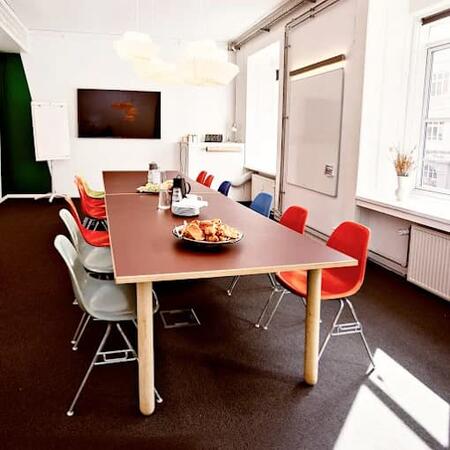
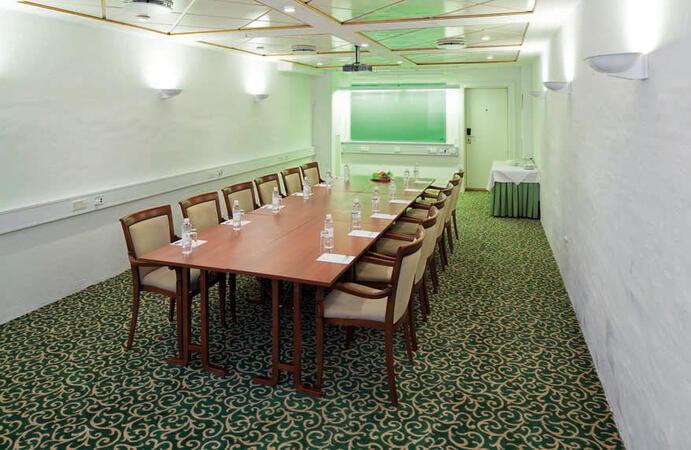
These courses are offered as "online live training" or "onsite live training." Online live sessions (also known as "remote live training") are conducted via an interactive remote desktop. Alternatively, onsite live training can be delivered directly at your customer premises in Copenhagen or within NobleProg’s corporate training facilities in Copenhagen.
You can also take bus 26 or 7A and get off around Vesterbros Torv; from there it is a short walk.
By bus
Useful nearby stops include:
Vesterbros Torv (Vesterbrogade) — about 1 minute from the area.
Frederiksberg Allé (Vesterbrogade) — nearby.
Trommesalen (Vesterbrogade) — nearby.
Bus 26 and 7A serve the Vesterbrogade corridor.
København, Copenhagen
NobleProg København, Bredgade 37, København K, denmark, 1260
Near Amalienborg Palace & Royal Theatre.
If you arrive by train
If you arrive at Copenhagen Central Station (København H):
Walk to København H Metro.
Take the M3 or M4 metro toward Kongens Nytorv.
Get off at Kongens Nytorv.
Walk north toward Nyhavn, then continue along Bredgade.
Bredgade 37 is about 500 m / 6 minutes' walk from Kongens Nytorv.
Another easy option
Marmorkirken (Marble Church) Metro Station is also very close to Bredgade 37. The nearby Bredgade area is about 2 minutes' walk from Marmorkirken station.
By bus
There are bus stops around Dronningens Tværgade / Bredgade, so you can also travel by bus and walk the final few minutes.
This instructor-led training in Copenhagen focuses on the fundamentals of Adobe Marketo Engage, spanning campaign automation, AI-driven personalization, and CRM integration. Participants will acquire practical skills to design workflows, segment audiences, and analyze performance to support omnichannel strategies.
This hands-on training in Copenhagen equips faculty with Adobe Creative Cloud skills for academic content creation. Learn to use Photoshop, Illustrator, InDesign, and video tools. Master design, multimedia, and AI features to enhance institutional communication and teaching materials.
This live, instructor-led training in Copenhagen delves into the core principles and practical applications of Adobe Hyvä for Magento 2, enabling participants to acquire hands-on skills that directly address real-world operational demands and modern business requirements.
Instructor-led Adobe Express training in Copenhagen supports beginners in creating social media graphics, flyers, and short videos. Participants will master branding, templates, and collaboration features to produce consistent, high-quality visual assets without advanced design expertise.
This live, instructor-led training, available Copenhagen (remote or in-person), is tailored for professionals from beginner to intermediate levels who aim to refine their document workflows leveraging Adobe Acrobat and AI-driven tools.
Following this training, participants will be capable of:
Creating and editing PDF documents from diverse sources.
Modifying PDF content, including text, images, and layout.
Employing annotation and markup tools for document analysis.
Applying security features to secure PDF documents.
Utilizing AI-powered tools to automate PDF-related tasks.
This instructor-led, live training in Copenhagen (delivered online or onsite) targets graphic designers and animators from beginner to intermediate levels who aspire to produce captivating animations, interactive media, and engaging web content using Adobe Animate.
By the end of this training, participants will be able to:
Navigate the Adobe Animate interface and utilize its tools effectively.
Create and modify animations using keyframes, motion tweens, and shape tweens.
Design interactive animations and applications employing ActionScript and JavaScript.
Incorporate audio and video elements into their projects.
Export animations suitable for web, video, and mobile platforms.
This live, instructor-led training, delivered Copenhagen (either online or onsite), is crafted for beginner-level content developers aiming to establish a foundational command of Adobe After Effects, Adobe Premiere Pro, Adobe Illustrator, Adobe Animate, and Adobe Character Animator.
By the conclusion of this session, learners will be capable of:
Comprehending the core functionalities of each software component in the Adobe Creative Suite.
Utilizing dedicated tools and methods in Adobe After Effects for motion graphics, Adobe Premiere Pro for video editing, Adobe Illustrator for graphic design, Adobe Animate for animations, and Adobe Character Animator for character animation.
Enhancing their creative design and production proficiency, allowing for a more rapid and efficient creation of premium digital content.
This live, instructor-led training in Copenhagen (online or onsite) is tailored for engineers and drafters at all levels, from beginner to advanced, who wish to utilize GD&T to create precise and standardized 2D drawings for engineering projects.
By the end of this training, participants will be able to:
Understand and apply GD&T symbols and concepts to 2D drawings.
Create clear and standardized technical drawings using GD&T principles.
Interpret and implement feedback based on GD&T annotations.
Collaborate effectively with teams using standardized GD&T notations.
This 14-hour course in Copenhagen covers Adobe Acrobat PDF creation, from converting Office documents to advanced batch processing. Participants will master form creation, security, and portfolio features, building practical skills for efficient document management in professional settings.
This two-day instructor-led course in Copenhagen focuses on core Adobe After Effects capabilities, including layers, keyframing, animation control, transparency, and rendering. By the end of the session, you will be equipped to competently edit professional video content using industry best practices.
This instructor-led training in Copenhagen empowers experienced designers to master advanced Adobe Creative Cloud workflows. Participants will learn to integrate AI-driven tools for streamlined production, refined branding systems, and the creation of professional corporate reports, infographics, and presentation assets.
This live, instructor-led training delivered in Copenhagen (either online or onsite) is tailored for graphic designers and illustrators seeking to harness the advanced tools of Adobe Illustrator. It is designed to help you create professional, high-quality vector artwork, illustrations, and graphic designs.
By the end of the session, you will be capable of:
Investigating the new and advanced features of Adobe Illustrator.
Applying expert tips and tricks to utilize advanced Illustrator tools effectively.
Converting hand sketches into refined digital images.
Producing professional-level graphics, logos, and animated GIFs.
Transforming, blending, and distorting text and visual elements.
Automating workflows to handle repetitive tasks efficiently.
This instructor-led, live training in Copenhagen (online or onsite) is aimed at advanced-level creative professionals who wish to use Adobe Creative Cloud to produce advanced branded graphics, professional video content, motion assets, and integrated digital media deliverables.
By the end of this training, participants will be able to: create advanced visual assets, edit and finish professional video, build motion graphics, and streamline workflows across Adobe applications.
This instructor-led live training in Copenhagen, available online or on-site, targets intermediate-level creative professionals seeking to use Adobe Creative Cloud to create workplace-ready graphics, video content, and digital media assets.
By the end of this training, participants will be able to create branded assets, edit professional video, produce basic motion graphics, and work more efficiently across Adobe applications.
This instructor-led course on Copenhagen delves into the essential principles and practical techniques of Adobe Captivate, enabling participants to develop proficient skills in producing interactive eLearning materials, ranging from capturing demos to final publishing and LMS integration.
This instructor-led live training in Copenhagen provides a hands-on introduction to Adobe InDesign, helping participants master professional desktop publishing techniques. Discover how to design compelling books, brochures, and posters by efficiently managing layouts, styles, and digital assets.
This practical workshop on Copenhagen focuses on Canva’s essential tools and advanced design strategies, enabling participants to produce professional visuals with greater efficiency. By leveraging AI capabilities for automation and graphic generation, you will enhance your workflow and improve design standards within practical business environments.
This instructor-led, live training in Copenhagen (online or onsite) targets experienced Canva users and in-house design or communication teams seeking to apply advanced brand controls, bulk production, and Magic Studio workflows to streamline content creation while maintaining visual consistency.
This live, instructor-led training in Copenhagen (available online or onsite) is designed for beginners without design experience who wish to use Canva to create simple, professional everyday materials without specialist design software.
This instructor-led, live training in Copenhagen (delivered online or on-site) is designed for anyone aspiring to become a graphic designer.
Upon completion of this training, participants will be equipped to:
Comprehend fundamental design theory and apply practical design techniques.
Proficiently use Adobe Creative Cloud applications, including Photoshop, Illustrator, and InDesign.
Identify viable alternatives to Adobe Creative Cloud.
Stay informed about emerging design trends.
Read more...
Last Updated:
Testimonials (3)
What I liked most about the training was the technical color and video performance theory session. It helped me clearly understand the reasoning behind key production decisions, such as why specific frame rates are chosen for different types of videos and how particular color spaces impact visual quality and performance. Having this theoretical foundation made the technical concepts more meaningful and easier to apply in practical scenarios.
Jason Lee
Course - Adobe Creative Cloud (After Effects, Premiere Pro, Illustrator, Animate, and Character Animator) for Beginners
Marko was very knowledgeable, friendly and explained in a very clear way. He also brought so many use cases, examples from his broad experience and was super interactive with us.
Delia Roxana Isfan-Stan
Course - Adobe Acrobat: PDF Creation and Editing
I liked the part the most where we learn how to create objects.
Online Graphic Design training in Copenhagen, Graphic Design training courses in Copenhagen, Weekend Graphic Design courses in Copenhagen, Evening Graphic Design training in Copenhagen, Graphic Design instructor-led in Copenhagen, Graphic Design private courses in Copenhagen, Online Graphic Design training in Copenhagen, Graphic Design one on one training in Copenhagen, Graphic Design on-site in Copenhagen, Graphic Design classes in Copenhagen, Weekend Graphic Design training in Copenhagen, Graphic Design coaching in Copenhagen, Graphic Design instructor in Copenhagen, Evening Graphic Design courses in Copenhagen, Graphic Design trainer in Copenhagen, Graphic Design boot camp in Copenhagen, Graphic Design instructor-led in Copenhagen