Whether delivered online or on-site, these instructor-led live Productivity training courses focus on achieving greater structure and enhancing overall productivity in both professional and personal life.
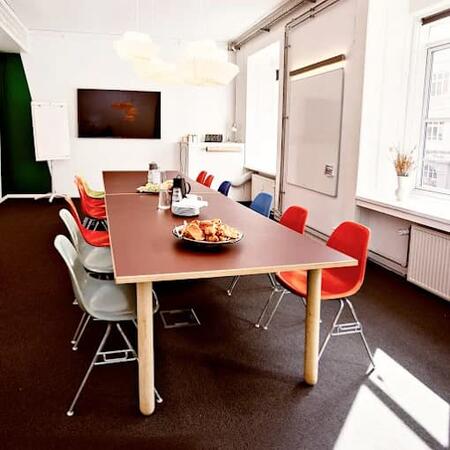
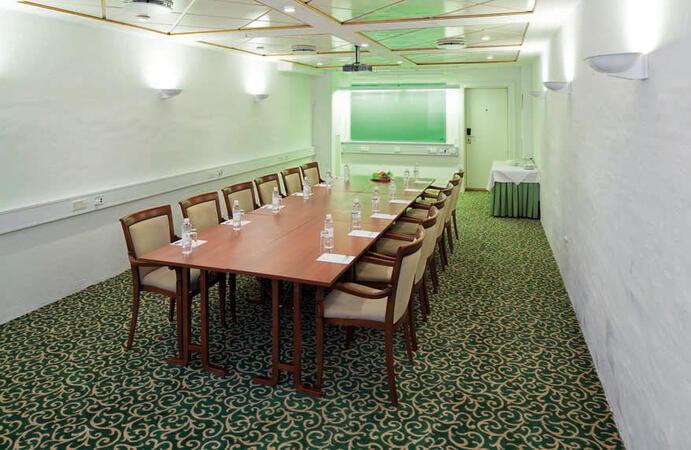
You can access Productivity training either as an "online live training" or as "onsite live training". Onsite sessions can be hosted locally at client premises in Copenhagen or within NobleProg's corporate training centers in Copenhagen.
You can also take bus 26 or 7A and get off around Vesterbros Torv; from there it is a short walk.
By bus
Useful nearby stops include:
Vesterbros Torv (Vesterbrogade) — about 1 minute from the area.
Frederiksberg Allé (Vesterbrogade) — nearby.
Trommesalen (Vesterbrogade) — nearby.
Bus 26 and 7A serve the Vesterbrogade corridor.
København, Copenhagen
NobleProg København, Bredgade 37, København K, denmark, 1260
Near Amalienborg Palace & Royal Theatre.
If you arrive by train
If you arrive at Copenhagen Central Station (København H):
Walk to København H Metro.
Take the M3 or M4 metro toward Kongens Nytorv.
Get off at Kongens Nytorv.
Walk north toward Nyhavn, then continue along Bredgade.
Bredgade 37 is about 500 m / 6 minutes' walk from Kongens Nytorv.
Another easy option
Marmorkirken (Marble Church) Metro Station is also very close to Bredgade 37. The nearby Bredgade area is about 2 minutes' walk from Marmorkirken station.
By bus
There are bus stops around Dronningens Tværgade / Bredgade, so you can also travel by bus and walk the final few minutes.
In this corporate hackathon, cross-functional teams from business departments and IT explore how AI can tackle their specific operational issues, leaving with functional prototypes in hand. The program integrates two preliminary discovery sessions—focused on tool onboarding—followed by an intensive 24-hour sprint and a final pitch to management. By the end of the event, every team departs with a working solution and a concrete implementation plan for the subsequent week.
Delivered as an instructor-led, live training in Copenhagen, this session is designed for: Mixed teams from business and IT divisions seeking to apply AI to their own problems and secure actionable solutions.
Upon completion, participants will be equipped to:
Reframe departmental problems and bottlenecks as solvable AI challenges
Recognize eight to ten key AI tools and select the most appropriate for specific tasks
Develop working solutions collaboratively within small teams
Assess potential solutions based on business benefit and feasibility
Deliver a compelling pitch of their results
Establish a practical usage plan for the following week
Course Structure
Duration: Two days on-site (including a 24-hour sprint) preceded by two discovery sessions
Interactive learning featuring trainer guidance, group discussions, and hands-on exercises applied to participants' specific use cases
Pre-Work Outcome: Challenges, tool selections, and success metrics are established.
Day 1 Outcome: Each team refines their challenge and produces an initial working version.
Day 2 Outcome: Each team finalizes a working solution, presents their pitch, and defines a usage plan for the coming week.
Customization Options
To arrange a tailored version of this training, please reach out to us for details.
This practical workshop is specifically designed around the operational workflows of a single team and utilises the AI tool already sanctioned by the company. The session covers advanced prompting strategies, sustainable configurations such as custom projects and assistants, file management, and data security protocols. Participants will depart with a curated collection of shared prompts and completed tasks derived directly from their own daily responsibilities.
This live, instructor-led training in Copenhagen is targeted at teams in case processing, specialist departments, research, or IT support who possess foundational AI experience and seek to enhance the quality of their specific outputs.
Upon completion of this training, participants will be equipped to:
Comprehend the internal mechanics of models during prompting and understand why AI generates fabricated details
Compose instructions that clearly define the role, task, context, examples, format, and constraints
Decompose complex tasks and refine outcomes through targeted interventions
Implement persistent setups using custom instructions, memory, projects, and personal assistants
Process files, scans, tables, and research assignments effectively
Validate results, verify numerical calculations, and safeguard sensitive data
Establish and maintain reusable templates for the team
Course Format
Duration: One full day (7 hours) or two 4-hour sessions per group, delivered online or on-site, with a maximum of 15 participants
Interactive sessions led by a trainer, featuring discussions and practical exercises based on the participants' real-world use cases
Block 1 Outcome: Every participant will possess at least one validated template tailored to their work
Block 2 Outcome: Each group will have a shared prompt library, a collaborative project, and two resolved tasks based on actual daily workflows
Customisation Options
To arrange a tailored version of this training, please reach out to us to discuss your specific requirements.
Browser agents empower users by reading web pages, comparing vendors, and filling out forms autonomously. This one-day course provides an in-depth look at ChatGPT Agent and Atlas, Claude in Chrome, and Perplexity Comet, covering optimal use cases and critical risks like hidden instructions on web pages. Participants will practice delegating two tasks, verifying the outcomes, and creating a framework for team usage.
This live, instructor-led training in Copenhagen is tailored for specialist users, assistants, and researchers looking to automate repetitive web-based workflows using AI agents.
By the conclusion of this training, participants will be able to:
Comprehend the underlying processes by which browser agents interpret pages, interact with elements, and complete forms
Differentiate the functionalities of ChatGPT Agent and Atlas, Claude in Chrome, and Perplexity Comet
Identify suitable tasks for delegation, including research, comparisons, and form management
Create well-defined assignments with clear goals, constraints, and approval milestones
Identify and mitigate risks, such as hidden instructions or prompt injections on web pages
Develop a standardized set of rules for team-wide adoption
Course Format
Duration: 1 day (7 hours)
Interactive learning with expert facilitation, discussions, and hands-on exercises based on participants' real-world use cases
Deliverable: By the end of Day 1, each participant will have delegated two tasks to a browser agent, validated the results, and formulated team usage rules.
Customization Options
To explore customizing this training for your organization, please contact us to discuss arrangements.
Project workflows within Microsoft 365 often span multiple platforms, including Teams, Planner, Lists, and SharePoint, which can lead to significant time being spent on status reporting and follow-up activities. This one-day training session demonstrates how Copilot and intelligent agents can streamline status reporting, manage meetings, handle tasks, and enhance risk detection. During the course, participants will develop a project-specific knowledge agent and create a mock-up solution for an actual project challenge.
This live, instructor-led training in Copenhagen is designed for project managers, PMO staff, team assistants, and project members who utilize Microsoft 365 components such as Teams, Planner, Lists, and SharePoint.
Upon completion of this training, participants will be equipped to:
Categorize and understand the various agents available in Microsoft 365 for project management
Generate status reports from emails, meetings, and lists using Copilot
Leverage agents within Teams and Planner to facilitate meetings and task management
Develop a project knowledge agent incorporating documents, lessons learned, and contact information
Identify risks and delays more proactively
Construct and present a mock-up solution for a real-world project issue
Course Format
Duration: 1 day (7 hours)
Interactive sessions with a trainer, including discussions and hands-on exercises focused on participants' specific use cases
Day 1 Outcome: Participants will possess a status report, a tested project knowledge agent, and a presented mock-up for a real project problem
Customization Options
Please contact us to discuss arrangements for customized training tailored to your needs
Lovable facilitates the construction of web applications via natural language prompts, serving as a robust tool for internal applications, forms, dashboards, and prototypes. This one-day program covers the user interface, effective prompting, database setup, login integration, and publishing workflows. Participants will leave with a published app and the beginning of their own use case, with no coding skills required.
Tim Jamboula, an official Lovable Ambassador and Cursor Ambassador, leads this training.
This live, instructor-led training in Copenhagen is tailored for specialist users, project leads, founders, and teams who wish to develop internal tools, forms, dashboards, or prototypes themselves.
By the end of the session, participants will be able to:
Understand AI-assisted build mechanics and determine the appropriate use of Lovable
Operate the interface with confidence, covering Plan, Build, and Visual Edits
Structure prompts using five key principles while integrating knowledge and skills
Implement databases, logins, storage, and connectors
Publish apps securely and conduct security scans
Launch their own use case and map out next steps
Course Structure
Duration: 1 day (7 hours)
Engaging training with a trainer, featuring discussions and practical exercises on participants' individual use cases
Outcome, Day 1: Each participant will possess a published app equipped with a database, login, and live URL, plus a started personal use case.
Customization Opportunities
Contact us to arrange a customized version of this training.
Replace static mockups with interactive prototypes built in a matter of hours, ideal for discovery and stakeholder reviews. This one-day workshop guides product managers and designers through creating variants, mapping design systems, facilitating live reviews, and preparing for the development handover. Participants will leave with a prototype for a feature of their own choosing.
The session is led by Tim Jamboula, an official Lovable and Cursor Ambassador.
This live, instructor-led training in Copenhagen is tailored for: Product managers, product owners, UX, UI, and service designers, as well as discovery teams.
Upon completion, participants will be equipped to:
Navigate the journey from initial briefing to an interactive prototype in a single session
Develop multiple variants simultaneously and iterate based on user feedback
Integrate design systems, components, and brand guidelines within Lovable
Conduct stakeholder reviews using functional prototypes with real-time adjustments
Determine the optimal time for development handover and prepare the necessary documentation
Course Format
Duration: 1 day (7 hours)
Interactive learning with guided discussion and hands-on exercises focused on participants' specific use cases
Deliverables by the end of Day 1: A functional prototype for a selected feature, a saved design system, and a comprehensive handover document for the development team.
Customization Options
To arrange a customized training experience, please reach out to us for specific arrangements.
This two-day programme guides your team from an initial briefing to a validated, live first release. The curriculum spans prototyping, data architecture and role management, real-time stakeholder iteration, user testing, security, deployment, and the subsequent handover to engineering teams. Throughout the sessions, participants apply the concepts directly to their specific use cases.
Tim Jamboula, an official Lovable Ambassador and Cursor Ambassador, leads the training.
Delivered as an instructor-led live session in Copenhagen, this course is tailored for product teams, innovation managers, founders, and departments aiming to transform ideas into tested prototypes and functional initial versions.
Upon completion, participants will be equipped to:
Create a clickable prototype from a concise briefing
Refine prototypes in real time alongside stakeholders
Configure data structures, roles, authentication, and integrations
Conduct user testing and incorporate feedback
Finalize security, publishing, and operational setup for the first version
Structure the handover process for development teams
Course Structure
Duration: 2 days (7 hours per day), accommodating 6 to 12 participants
Interactive instruction featuring facilitated discussions and hands-on exercises focused on individual use cases
Day 1 Result: A refined prototype with database and login capabilities, polished during a simulated stakeholder review.
Day 2 Result: A published, tested initial version of the use case, accompanied by a comprehensive handover document.
Customization Options
To explore tailored training options, please contact us to schedule a discussion.
Embedded directly within Outlook, Teams, Word, Excel, and PowerPoint, Microsoft 365 Copilot leverages data already accessible to users to enhance productivity. This course guides learners through effective prompting techniques, result verification, and the practical application of Notebooks, Pages, and AI agents. By the conclusion of the session, participants will have successfully built their first FAQ agent using a SharePoint knowledge base.
This live, instructor-led training in Copenhagen is designed for employees and departments utilizing Microsoft 365 Copilot, catering to skill levels from beginner to advanced.
Upon completing this training, participants will be equipped to:
Differentiate between Copilot Chat and the specific Copilot features integrated into Outlook, Teams, Word, Excel, and PowerPoint
Comprehend the data sources Copilot accesses and the application of permission structures
Efficiently prepare emails, meeting agendas, reports, and presentations using Copilot
Analyze Excel data sets and accurately verify the generated outcomes
Apply effective prompting strategies and refine responses when initial outputs require adjustment
Leverage Notebooks, Pages, and the specialized Researcher and Analyst agents
Develop an initial simple agent based on a SharePoint knowledge base
Course Structure
Duration: 2 days (7 hours per day), with an alternative format available as a series of 2-hour learning sessions
Interactive instruction featuring a trainer, facilitated discussions, and hands-on exercises tailored to participants' specific use cases
Day 1 Objective: Each participant will have implemented at least one use case within the applications and saved two custom prompts for their workflow
Day 2 Objective: Each participant will possess a notebook, a verified Researcher output, and a tested FAQ agent; each group will have presented a solution concept with a mock-up
Customization Opportunities
For tailored training solutions, please contact us to discuss specific requirements
Trustworthy research demands more than instantaneous answers; it requires the careful selection, verification, and documentation of sources. This course explores Perplexity Spaces, deep research capabilities, Labs, and the Comet browser, with a particular emphasis on source verification. By the end of the session, participants will possess a configured Space, a verified research deliverable, and a reusable template for recurring assignments.
This live, instructor-led training in Copenhagen is designed for employees who regularly conduct research, such as those in purchasing, project management, knowledge management, administrative support, and specialist departments.
Upon completion of this training, participants will be able to:
Grasp how Perplexity processes queries, selects sources, and constructs responses
Structure research requests by defining questions, sources, exclusions, and desired formats
Systematically verify sources and identify citation errors
Configure Spaces with tailored instructions and files for specific topics or teams
Leverage deep research and Labs to generate reports and tables
Utilize the Comet browser securely for web research and task execution
Course Format
Duration: 1 day (7 hours)
Interactive training featuring a facilitator, discussions, and practical exercises based on participants' own use cases
Day 1 Outcome: Each participant will have a personal Space, a verified research piece with cited sources, and a template for recurring research tasks.
Course Customization Options
Please contact us to discuss and arrange a customized training solution for this course.
This one-on-one live online training in Copenhagen is tailored for anyone seeking to increase structure and productivity in their work.
By the end of the session, participants will be able to:
Achieve more in life.
Exercise better control over their time.
Regain their focus.
Plan their weeks more effectively.
Understand how to manage stress.
Read more...
Last Updated:
Testimonials (1)
SMART Goal session was the most enjoyable part of the training that helped me manage my time properly. it helps me set my goal clearer and i could really see that setting SMART Goal can relate to almost everything such as Finance, Social Life, Career and Personal Growth.
Manot Sae - MVCI (Thailand) Limited
Course - Workshop: Boost your productivity with this new method!
Online Productivity training in Copenhagen, Productivity training courses in Copenhagen, Weekend Productivity courses in Copenhagen, Evening Productivity training in Copenhagen, Productivity instructor-led in Copenhagen, Online Productivity training in Copenhagen, Productivity instructor in Copenhagen, Productivity instructor-led in Copenhagen, Productivity on-site in Copenhagen, Weekend Productivity training in Copenhagen, Productivity classes in Copenhagen, Productivity private courses in Copenhagen, Productivity one on one training in Copenhagen, Productivity boot camp in Copenhagen, Productivity coaching in Copenhagen, Evening Productivity courses in Copenhagen, Productivity trainer in Copenhagen