Thank you for sending your enquiry! One of our team members will contact you shortly.
Thank you for sending your booking! One of our team members will contact you shortly.
Duration 21 hours
Course Outline
Virtualization Fundamentals
- Overview of Operating System Concepts: CPU, Memory, Network, Storage
- Hypervisors
- The Supervisor of Supervisors
- Understanding the "Host" machine and "Guest" operating systems
- Differences between Type-1 and Type-2 Hypervisors
- Examples: Citrix XEN, VMware ESX/ESXi, MS Hyper-V, IBM LPAR.
- Network Virtualization
- Brief introduction to the 7-Layer OSI Model
- Emphasis on the Network layer
- The TCP/IP Model or Internet Protocol
- Deep Dive into Specific Layers
- Application Layer: SSL
- Transport Layer: TCP
- Internet Layer: IPv4/IPv6
- Link Layer: Ethernet
- Packet Structure
- Addressing: IP Addresses and Domain Names
- Components: Firewalls, Load Balancers, Routers, Adapters
- Virtualized Networks
- Higher-Order Abstractions: Subnets and Zones.
- Practical Exercise:
- Get familiar with the ESXi cluster and vSphere client.
- Create or update networks within an ESXi Cluster, deploy guests from VMDK packages, and enable inter-connectivity between guests in the cluster.
- Modify a running VM instance and capture a snapshot.
- Update firewall rules in ESXi using the vSphere client.
2. Cloud Computing: A Paradigm Shift
- A rapid and cost-effective way to launch products and solutions globally
- Resource Sharing
- Virtualization within a virtualized environment
- Key Benefits:
- On-Demand Resource Elasticity
- Ideate -> Code -> Deploy without needing dedicated infrastructure
- Accelerated CI/CD pipelines
- Environment isolation and vertical autonomy
- Enhanced security through layering
- Cost optimization
- On-Demand Resource Elasticity
- On-Premise Cloud vs. Cloud Providers
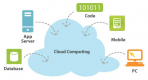
- Cloud as a conceptual abstraction for distributed computing
3. Introduction to Cloud Service Models:
- IaaS (Infrastructure as a Service)
- Providers: AWS, Azure, Google
- Select one provider for subsequent modules. AWS is recommended.
- Introduction to AWS VPC, AWS EC2, etc.
- PaaS (Platform as a Service)
- Providers: AWS, Azure, Google, CloudFoundry, Heroku
- Introduction to AWS DynamoDB, AWS Kinesis, etc.
- SaaS (Software as a Service)
- Brief overview
- Examples: Microsoft Office, Confluence, SalesForce, Slack
- The Hierarchy: SaaS is built on PaaS, which is built on IaaS, which is built on Virtualization
4. IaaS Cloud Hands-on Project
- This project utilizes AWS as the IaaS provider
- Use CentOS/RHEL as the operating system for the remaining exercises
- Ubuntu is also acceptable, but RHEL/CentOS are preferred
- Obtain individual AWS IAM accounts from your cloud administrator
- Each participant must complete these steps independently
- Provisioning your entire infrastructure on-demand is the ultimate demonstration of cloud computing power
- Utilize AWS Wizards and online consoles to complete these tasks, unless otherwise specified
- Create a public VPC in the us-east-1 Region
- Configure two Subnets (Subnet-1 and Subnet-2) in different Availability Zones
- Reference: https://docs.aws.amazon.com/vpc/latest/userguide/
- Create three distinct Security Groups
- SG-Internet
- Allow inbound traffic from the Internet on https 443 and http 80
- Deny all other inbound connections
- SG-Service
- Allow inbound traffic only from the SG-Internet group on https 443 and http 80
- Allow ICMP only from SG-Internet
- Deny all other inbound connections
- SG-SSH:
- Allow SSH:22 inbound connections only from the specific IP address matching the student’s lab machine. If behind a proxy, use the proxy’s public IP.
- SG-Internet
- Configure two Subnets (Subnet-1 and Subnet-2) in different Availability Zones
- Launch an instance using an AMI for your selected OS (preferably the latest RHEL/CentOS version) and place it in Subnet-1. Attach it to both SG-Service and SG-SSH.
- Connect to the instance via SSH from your lab machine.
- Install an NGINX server on this instance
- Place static content of your choice (html pages, images) to be served by NGINX (on port 80 via HTTP) and define the corresponding URLs.
- Test the URL from the same machine.
- Create an AMI image from this running instance.
- Launch a new instance from that AMI and place it in Subnet-2. Attach it to SG-Service and SG-SSH.
- Start the NGINX server and verify that the static content URL created in the previous step works.
- Create a new "classic" Elastic Load Balancer and attach it to SG-Internet.
- Understand the differences between Classic, Application, and Network Load Balancers.
- Establish routing rules to forward all http 80 and https 443 traffic to the instance group consisting of the two instances created above.
- Use a certificate management tool (such as java keytool) to generate a key-pair and self-signed certificate, then import the certificate into AWS Certificate Manager (ACM).
5. Cloud Monitoring: Introduction and Hands-on Project
- Understanding AWS CloudWatch metrics
- Navigate to the AWS CloudWatch dashboard for the instances
- Retrieve relevant metrics and analyze their variability over time
- Reference: https://docs.aws.amazon.com/AWSEC2/latest/UserGuide/viewing_metrics_with_cloudwatch.html
- Retrieve relevant metrics and analyze their variability over time
- Navigate to the AWS CloudWatch dashboard for the ELB
- Monitor ELB metrics and interpret their fluctuations over time
- Reference: https://docs.aws.amazon.com/elasticloadbalancing/latest/classic/elb-cloudwatch-metrics.html
6. Advanced Concepts for Further Learning
- Hybrid Cloud -- combining on-premise and public cloud
- Migration Strategies: From On-Premise to Public Cloud
- Migrating application code
- Migrating databases
- DevOps
- Infrastructure as Code
- AWS CloudFormation Templates
- Auto-scaling
- Using AWS CloudWatch metrics to determine system health
Requirements
This course has no specific prerequisites.
Who Should Attend
Software Engineers and Computer Scientists who possess a solid understanding of algorithms and are familiar with at least one programming or scripting language, but have no prior experience with Cloud Computing.
Testimonials (1)
The trainer explains you very well.