Through interactive, hands-on sessions, these instructor-led live training courses—available online or onsite—demonstrate practical techniques for leveraging AI-powered tools. The goal is to boost coding efficiency, streamline repetitive programming tasks, and optimize overall software development workflows.
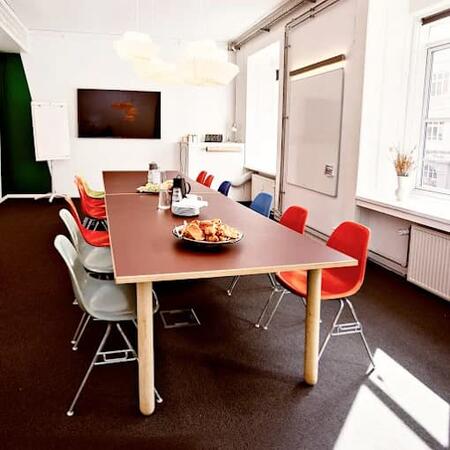
Participants can choose between "online live training" (also referred to as remote live training) and "onsite live training". Online sessions are facilitated through an interactive, remote desktop connection, while onsite training takes place either at the client's location in Copenhagen or within NobleProg's corporate training centers in Copenhagen.
These AI Coding Assistants are frequently referred to as AI-Powered Code Assistants or Intelligent Code Helpers.
You can also take bus 26 or 7A and get off around Vesterbros Torv; from there it is a short walk.
By bus
Useful nearby stops include:
Vesterbros Torv (Vesterbrogade) — about 1 minute from the area.
Frederiksberg Allé (Vesterbrogade) — nearby.
Trommesalen (Vesterbrogade) — nearby.
Bus 26 and 7A serve the Vesterbrogade corridor.
København, Copenhagen
NobleProg København, Bredgade 37, København K, denmark, 1260
Near Amalienborg Palace & Royal Theatre.
If you arrive by train
If you arrive at Copenhagen Central Station (København H):
Walk to København H Metro.
Take the M3 or M4 metro toward Kongens Nytorv.
Get off at Kongens Nytorv.
Walk north toward Nyhavn, then continue along Bredgade.
Bredgade 37 is about 500 m / 6 minutes' walk from Kongens Nytorv.
Another easy option
Marmorkirken (Marble Church) Metro Station is also very close to Bredgade 37. The nearby Bredgade area is about 2 minutes' walk from Marmorkirken station.
By bus
There are bus stops around Dronningens Tværgade / Bredgade, so you can also travel by bus and walk the final few minutes.
This advanced course in Copenhagen delves into GitHub Copilot and AI solutions for corporate infrastructure. It empowers managers with the skills to optimize project management, streamline processes, and improve decision-making through AI tools, with a particular focus on large-scale operations.
This instructor-led, live training in Copenhagen covers the use of GitHub Copilot for DevOps automation. Learners will discover how to streamline processes such as YAML configuration and CI/CD pipeline management using AI. Through practical exercises, participants will boost productivity and learn to apply Copilot responsibly within real-world operational workflows.
This instructor-led live training, available Copenhagen (online or on-site), is designed for intermediate to advanced participants aiming to optimize team workflows, improve collaborative coding practices, and effectively manage Copilot in multi-developer environments.
By the end of the session, participants will be able to:
Configure GitHub Copilot for team environments.
Utilize Copilot to enhance collaborative coding practices.
Improve team workflows using Copilot’s features.
Manage Copilot’s integration in multi-developer projects.
Maintain consistent code quality and standards across teams.
Leverage advanced Copilot features for team-specific needs.
Combine Copilot with other collaborative tools for efficiency.
This instructor-led live session, available online or in-person Copenhagen, is tailored for intermediate QA engineers, developers, and team leads seeking to harness GitHub Copilot for improved debugging efficiency, enhanced code quality, and streamlined code reviews.
By the end of this training, participants will be capable of:
Setting up GitHub Copilot for debugging and code review purposes.
Using Copilot to efficiently identify and resolve bugs.
Boosting code quality via AI-assisted recommendations.
Optimizing code review workflows with Copilot’s capabilities.
Collaborating effectively within team environments using Copilot.
This instructor-led, live training, available either online or onsite, is designed for intermediate front-end developers seeking to leverage GitHub Copilot to automate repetitive coding tasks, enhance UI/UX design, and optimize front-end workflows.
By the end of this training, participants will be able to:
Set up GitHub Copilot for front-end development projects.
Leverage Copilot to generate HTML, CSS, and JavaScript code efficiently.
Improve UI/UX design processes using AI-generated code suggestions.
Enhance front-end workflows with practical Copilot integration strategies.
Troubleshoot and debug front-end code using Copilot assistance.
This instructor-led training in Copenhagen presents Cursor as an AI-enhanced environment for accelerating data and ML processes. Participants will master the optimization of notebook development, ETL pipelines, and model operations through practical exercises that drive productivity and operational alignment.
This live, instructor-led training in Copenhagen (online or onsite) is designed for beginner to intermediate Python developers seeking to utilize GitHub Copilot for Python-specific tasks, debugging, and machine learning workflows.
By the end of the course, participants will be able to:
Install and configure GitHub Copilot for Python projects.
Leverage Copilot to write efficient Python code.
Debug Python applications using AI-assisted suggestions.
Automate repetitive coding tasks and optimize workflow efficiency.
Implement machine learning projects in Python with Copilot.
This live, instructor-led training in Copenhagen delves into the core principles and practical fundamentals of Graphite. It empowers participants to develop practical skills in code review, automation, and DevOps integration, directly applicable to real-world enterprise development environments and contemporary business requirements.
This instructor-led training on Copenhagen enables advanced developers to master prompt engineering, fine-tuning, and custom tooling within Cursor. Participants will learn to design precise AI behaviors, integrate internal knowledge bases, and build secure, domain-adapted extensions tailored for enterprise workflows.
This instructor-led, live training in Copenhagen (online or onsite) is designed for advanced-level participants who aim to customize GitHub Copilot for team projects, exploit its advanced features, and integrate it effectively into CI/CD pipelines to improve collaboration and productivity.
By the conclusion of this training, participants will be able to:
Tailor GitHub Copilot to meet specific project needs and team workflows.
Leverage Copilot’s advanced capabilities for complex coding tasks.
Integrate GitHub Copilot into CI/CD pipelines and collaborative settings.
Optimize team collaboration through the use of AI-powered tools.
Manage and troubleshoot Copilot settings and permissions with confidence.
Delivered by an instructor in Copenhagen via online or onsite sessions, this live training is designed for developers across the spectrum, from novices to experts, looking to utilize AI for code generation with Tabnine.
By the end of the session, participants will be able to:
Comprehend the core principles of AI-powered code generation.
Install and configure Tabnine within their development setup.
Employ Tabnine for streamlined code completion and error fixing.
Develop and train custom AI models in Tabnine for specialized applications.
Explore AI-driven software development through this instructor-led training. This live course in Copenhagen is designed to help intermediate developers master LLMs, prompt engineering, and hands-on coding environments. Learn to integrate vibe coding into CI/CD pipelines to boost productivity.
This live, instructor-led training in Copenhagen supports teams in integrating Cursor to streamline collaboration and code reviews. Participants will learn to manage workspaces, automate AI-assisted pull requests, enforce governance policies, and link Cursor to CI/CD pipelines for consistent quality assurance.
This instructor-led, live training in Copenhagen (online or on-site) is designed for programmers and developers at beginner to intermediate levels who wish to leverage DeepSeek Coder to improve coding efficiency and productivity.
Upon completing this training, participants will be equipped to:
Grasp the capabilities and constraints of DeepSeek Coder.
Create high-quality code snippets with the aid of AI.
Leverage DeepSeek Coder to debug and optimize code.
Automate routine programming tasks using AI tools.
This instructor-led live training, delivered Copenhagen (either online or onsite), is tailored for intermediate-level participants seeking to utilize GitHub Copilot for advanced coding tasks. The goal is to boost productivity and integrate Copilot smoothly into daily development processes.
By the conclusion of the training, participants will be capable of:
Enhancing their use of GitHub Copilot for complex coding requirements.
Creating code that is efficient, error-resistant, and maintainable through Copilot recommendations.
Integrating GitHub Copilot with their preferred IDEs and workstreams.
Applying Copilot to streamline debugging and refactoring processes.
Grasping the boundaries and ethical dimensions of AI-powered coding assistants.
This live, instructor-led training in Copenhagen (delivered online or onsite) is designed for senior developers and team leaders aiming to command the advanced functionalities of Tabnine.
Upon completion, participants will be equipped to:
Deploy Tabnine within intricate software architectures.
Tailor and train Tabnine's AI models to address specific application needs.
Seamlessly embed Tabnine into collaborative workflows and development pipelines.
Boost code integrity and expedite development cycles by leveraging Tabnine's analytical insights.
This live, instructor-led training (available online or onsite) is designed for software developers at beginner to intermediate levels who aim to incorporate AI coding assistants into their workflow.
By the end of the session, participants will be equipped to:
Understand the function and strengths of AI coding assistants in software engineering.
Use diverse AI tools to handle and automate standard coding operations.
Integrate AI support into their software development lifecycle.
Improve productivity while dedicating more energy to complex, creative coding tasks.
Manage ethical issues and ensure responsible AI application in software development.
This instructor-led training in Copenhagen guides developers in adopting Cursor, an AI-powered editor that enhances productivity through smart completions and contextual edits. Participants will develop practical skills in refactoring, safely reviewing AI suggestions, and fostering team collaboration to optimize their workflows.
This instructor-led live training in Copenhagen (online or onsite) is tailored for beginner-level developers aiming to master GitHub Copilot's capabilities, set it up efficiently, and apply it to enhance their overall coding experience.
By the end of this program, participants will be capable of:
Comprehending what GitHub Copilot is and the technology that powers it.
Completing the setup of GitHub Copilot in a supported code editor.
Utilizing GitHub Copilot to speed up code writing, refactoring, and debugging tasks.
Using Copilot to investigate and discover various coding techniques and solutions.
Applying industry best practices to integrate GitHub Copilot into everyday workflows.
This live, instructor-led training session Copenhagen (conducted online or on-site) is designed for intermediate Python developers and data scientists seeking to enhance their workflow efficiency by integrating Tabnine into their daily processes.
By the conclusion of this training, participants will be capable of:
Effectively installing and configuring Tabnine within their Python development environment.
Leveraging Tabnine’s autocomplete features to write Python code with greater efficiency.
Customizing Tabnine’s behavior to match personal coding styles and distinct project needs.
Comprehending the specific mechanics of Tabnine’s AI model as it processes Python code.
This instructor-led live training, offered in Copenhagen (either online or on-site), is designed for beginner-level participants looking to master AI coding assistants. It covers their capabilities, their role in enhancing the development process, and the ethical considerations involved.
By the conclusion of the training, participants will be able to:
Understand the core purpose and capabilities of AI coding assistants.
Recognize various AI coding assistant tools and their distinct features.
Employ AI coding assistants for fundamental coding tasks.
Address ethical considerations and ensure responsible use of AI in development.
Designed for intermediate software developers, this instructor-led, live training (online or onsite) focuses on leveraging Cursor’s AI-assisted coding capabilities to improve productivity and code standards.
By the conclusion of this program, attendees will be capable of:
Installing and setting up Cursor for AI-enhanced development.
Integrating Cursor with Git repositories and existing workflows.
Generating, debugging, and optimizing code via natural language prompts.
Applying AI tools for refactoring, documentation, and testing.
This live, instructor-led training in Copenhagen (delivered online or on-site) is designed for developers with beginner to intermediate experience who aim to effectively leverage GitHub Copilot's capabilities within modern development workflows.
This live, instructor-led training in Copenhagen (delivered online or onsite) is designed for novice developers seeking to enhance their coding productivity with Tabnine.
Upon completing this training, participants will be able to:
Install and configure Tabnine within their chosen IDE.
Leverage Tabnine’s autocomplete capabilities to enhance coding speed.
Tune Tabnine’s settings to achieve optimal assistance.
Gain insight into how Tabnine’s AI analyzes code to refine its suggestions.
This instructor-led, live training in Copenhagen is designed for intermediate to advanced developers and tech leads aiming to configure and scale Claude Code for consistent team use.
By the end of the session, participants will be equipped to:
Structure CLAUDE.md files, settings, and permissions for repositories and teams
Create custom subagents with defined roles and tool access
Write hooks that automatically enforce formatting, tests, and safety rules
Package recurring workflows as Skills, slash commands, and plugins
Connect Claude Code to external systems through MCP servers
Run Claude Code non-interactively in scripts and CI pipelines, critically reviewing its output
Targeting business users in Copenhagen who aim to build simple internal tools and prototypes, this instructor-led, live training provides essential guidance.
Participants will gain the ability to:
Communicate tool specifications effectively for AI development
Create working prototypes using Lovable
Utilize Claude Code for guided simple helper tool creation
Determine when a prototype requires professional developer input
This live, instructor-led session in Copenhagen is tailored for intermediate developers aiming to guide a project from its inception to a live, production-ready state using Claude Code.
By the conclusion of the training, learners will be equipped to:
Set up Claude Code and steer it effectively through CLAUDE.md configurations.
Construct application skeletons and connect data with a CMS.
Develop test cases and manage QA processes via subagents.
Establish automated deployment pipelines to Vercel or Cloud Run.
This live, instructor-led training, conducted in Copenhagen (either online or onsite), is tailored for developers aiming to utilize GitHub Copilot Agent Mode for autonomous feature construction, test execution, and the management of extensive coding tasks.
By the conclusion of this program, participants will be equipped to activate Agent Mode, plan and iterate within the agent loop, execute terminal commands, and establish enterprise-grade governance controls.
This live, instructor-led training in Copenhagen, offered online or onsite, targets developers who want to leverage Windsurf for conversational feature development, in-IDE terminal workflows, and codebase-wide refactoring.
By the conclusion of this training, participants will be able to employ Cascade for navigation, execute terminal commands within the editor, utilize predictive edits, and adapt Windsurf for proprietary stacks.
Read more...
Last Updated:
Testimonials (3)
That i gained a knowledge regarding streamlit library from python and for sure i'll try to use it to improve applications in my team which are made in R shiny
Michal Maj - XL Catlin Services SE (AXA XL)
Course - GitHub Copilot for Developers
The way you use the copilot, more rule more close to what you need.
Carey Fan - Logitech
Course - Introduction to AI Coding Assistants
Trainer able to adjust the course level during training to fit our understanding level on the topic, so that we could gain more useful knowledge that could further help us harness the tools in our daily works.
Online AI Coding Assistants training in Copenhagen, AI-Powered Code Assistants training courses in Copenhagen, Weekend AI Coding Assistants courses in Copenhagen, Evening AI Coding Assistants training in Copenhagen, AI Coding Assistants instructor-led in Copenhagen, Evening AI Coding Assistants courses in Copenhagen, AI Coding Assistants on-site in Copenhagen, AI Coding Assistants instructor in Copenhagen, Online AI Coding Assistants training in Copenhagen, AI-Powered Code Assistants instructor-led in Copenhagen, AI Coding Assistants one on one training in Copenhagen, AI Coding Assistants coaching in Copenhagen, Weekend AI-Powered Code Assistants training in Copenhagen, AI Coding Assistants classes in Copenhagen, AI-Powered Code Assistants private courses in Copenhagen, AI Coding Assistants boot camp in Copenhagen, AI-Powered Code Assistants trainer in Copenhagen